


Crosswords
4.1333.00 Reviews
App Specs
- Version
- 2.8.0.6
- Updated On
- License
- $9.99
- Downloads
- 10,000+
- Developer
- Stand Alone, Inc.
- Categories
- Word
- Platform
- Android, iOS
Screenshots
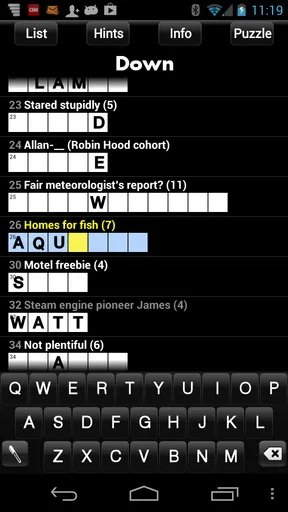
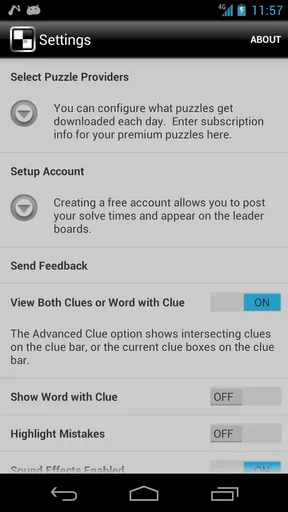
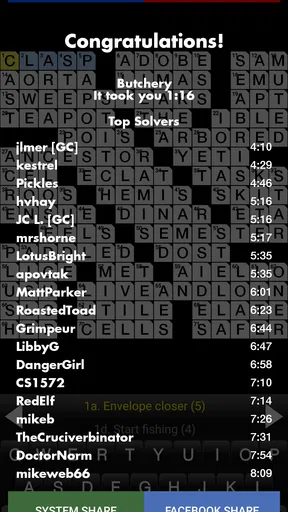
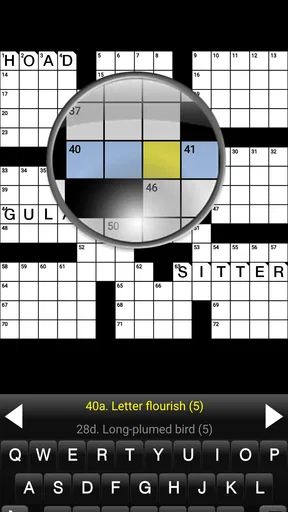
 Analysis by AppCompare
I keep coming back to Crosswords for a simple reason: it turns a phone into a focused word-puzzle book without trying to become anything else. Developed by Stand Alone, Inc., this is a crossword game for Android that suits quiet, deliberate solving rather than quick arcade sessions. My overall impression is positive, but with an important qualification: it makes the most sense for someone who already enjoys traditional crosswords and wants them available on a phone, not for someone looking for a highly social, constantly changing word game.
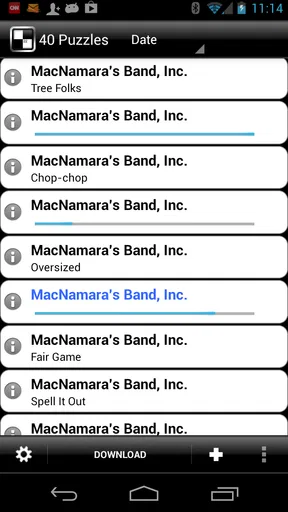
The store summary describes the idea plainly, and that directness matches the experience. You open the game, choose a puzzle, and work through clues by filling the grid. There is no need to learn a complicated game system before getting started. That simplicity is its strongest quality, because crossword solving depends more on concentration and vocabulary than on layers of menus, rewards, or distractions.
Why this crossword game still feels useful on a phone
In my experience, the best way to use Crosswords is in short periods when I want something mentally active but not stressful. A morning coffee, a train ride, or a few minutes before bed can become a proper solving session. Unlike a fast word scramble, a crossword gives me a reason to slow down, hold several clues in my head, and notice how one answer helps unlock another.
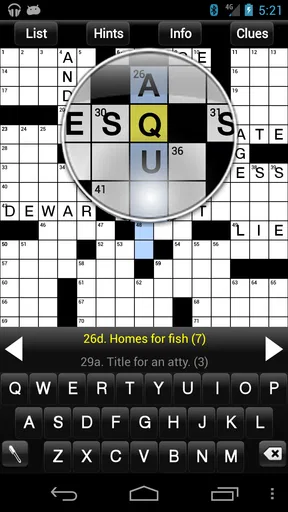
The grid creates a satisfying chain reaction. I may begin with a few obvious answers, then use their crossing letters to approach clues that initially seem impossible. That process is more rewarding than simply guessing words from a list. It also means the game can meet me at different energy levels: I can make steady progress when I am alert, or solve only a handful of clues when I want a lighter session.
That traditional structure is also the clearest sign of who will appreciate this title. If you like solving on paper but do not always carry a puzzle book, the phone format is convenient. If you prefer rapid rounds, animated feedback, competitive leaderboards, or a large social layer, the experience may feel restrained. Crosswords is at its best when the puzzle itself is the entertainment.
A practical routine for solving more efficiently
One useful habit is to avoid attacking the grid in a straight line from the first clue to the last. I scan for clues I can answer confidently, enter those letters, and then revisit the surrounding entries. This makes the crossing structure work for me instead of forcing me to solve every clue independently. It is especially helpful when a clue has several plausible answers.
I also find it better to leave uncertain entries temporarily rather than filling the grid with guesses. One wrong letter can make several nearby clues look impossible, and the resulting confusion feels worse on a small screen. A more disciplined approach is to mark the idea mentally, move elsewhere, and return after gaining additional crossing letters. That is a small workflow change, but it makes the game feel much less frustrating.
Worth Reading Before You Choose

EA SPORTS FC Mobile 26 Is a Bigger Football Game, but It Takes Time

Flipboard Shows What News Apps Must Do Beyond the Feed

Switching to Android Auto Means Rethinking Your Driving Routine

Google Calendar Makes a Crowded Week Easier to Manage

Ludo King Makes the Most of the Minutes Between Plans

Baby Panda World Brings Quick Play to Modern Phones, but Its Game Library Feels Busy
Another practical tip is to play with a clear stopping point. Crossword sessions can become surprisingly absorbing, yet staring at one stubborn clue for too long rarely helps. When I reach a dead end, leaving the puzzle for a while often lets the answer surface later. The phone makes this easy because the game is always nearby, but that convenience works best when I treat it as a pauseable puzzle rather than a task I must finish immediately.
What the mobile format gets right
A phone cannot reproduce every pleasure of a printed crossword, but it does offer a few meaningful advantages. The grid is always available, and I do not need a pen, an eraser, or a flat surface. That matters when I am traveling or waiting somewhere. I can use a spare moment without carrying an extra book in my bag.
The digital format also changes how I think about mistakes. On paper, an incorrect answer can create a messy cluster of crossed-out letters. On a phone, correcting an entry is less intimidating, so I am more willing to test a possibility and revise it. That makes the game approachable for a casual solver who may otherwise avoid difficult puzzles because of the fear of ruining the page.
There is a trade-off, though. A physical crossword has a comfortable, stable layout that many longtime solvers prefer. A phone screen is smaller, and extended sessions can feel less natural than working on paper. I would be comfortable recommending this as a portable companion, but I would not assume it replaces a favorite newspaper or puzzle book for every serious enthusiast.
Where the experience feels limited
The biggest limitation is not the basic idea; it is the narrowness of that idea. Crosswords is a dedicated word game, so its value depends heavily on whether the available puzzles match your interests and expectations. Someone hoping for a broad collection of word modes may find the experience too focused. There is no reason to choose it over a general word-game app if variety is your main priority.
The price also deserves careful thought. The game costs $9.99, while in-app purchases range from $0.99 to $9.99 per item. For a regular crossword solver, paying for a focused puzzle experience can be reasonable, especially if the format becomes part of a daily routine. For an occasional player, the commitment is harder to justify when many mobile word games use free entry or offer a wider range of activities.
I would therefore judge the purchase by frequency of use, not by the length of a single session. If I expect to open it several times a week and genuinely prefer crosswords, the focused design has a fair chance of earning its place. If I only solve a crossword once in a while, I would first compare the cost and puzzle access with a newspaper subscription, a printed collection, or a free alternative.
The version listed for the game is 2.8.0.6, and it supports Android from version 7.0 onward. That makes it relevant to a broad range of older Android devices, which is useful for readers who do not upgrade their phone frequently. Still, compatibility alone does not tell me whether the experience will feel comfortable on a particular screen. A smaller display may make clue reading and grid navigation less pleasant during long sessions, so I would treat screen size as part of the buying decision.
How it compares with familiar alternatives
Compared with a printed crossword book, Crosswords wins on portability and easy correction. I can keep several partially solved puzzles on one device instead of carrying a stack of pages. The printed option still wins for readers who enjoy writing by hand, prefer a larger grid, or want a break from screens.
Compared with free daily crossword apps, the important question is not simply whether this game offers a crossword grid. It is whether its focused experience, puzzle access, and purchase model suit the way I solve. A free app may be better for someone who wants to sample puzzles casually or receive a new challenge as part of a daily routine. This title is more appealing to someone who wants a dedicated crossword tool and is comfortable paying for that specialization.
Compared with word games built around timed rounds, hints, streaks, or multiplayer competition, Crosswords feels calmer and more private. That is a strength when I want concentration without pressure. It is a weakness when I need constant novelty or motivation from other players. The absence of a frantic pace lets the clues take center stage, but it also means the game will not manufacture excitement for a player who is not already interested in crosswords.
Who should choose it, and who should skip it
I think the strongest audience is the traditional crossword fan who wants a portable Android version of the hobby. It is also a good fit for learners who enjoy building vocabulary through context, since each answer is connected to neighboring clues rather than presented as an isolated definition. The game can work well for a person who wants a quiet mental activity during a commute, provided the device is comfortable to use and the price fits the expected frequency of play.
It is less suitable for children seeking a colorful, highly guided game, even though the content rating is Everyone. That age rating makes it broadly accessible, but it does not automatically mean the clue style will be equally comfortable for every age group. Crossword enjoyment depends on vocabulary, cultural references, and familiarity with common clue conventions, so a younger player may need patience and an interest in words rather than expecting a simple educational exercise.
I would also steer away from it if you want a strong social component. A player who measures enjoyment through head-to-head matches, public scores, or shared challenges may find the solitary format too quiet. Likewise, people who dislike paying for a focused app should look carefully at the purchase structure before committing. The game is easier to recommend when the reader already knows that crosswords are a lasting hobby, not merely something to try once.
Everyday use: a realistic session
Imagine having twenty minutes before an appointment. With a fast action game, I might feel rushed or lose interest after a few rounds. With this crossword game, I can open a puzzle, solve the clues I recognize, and stop without feeling that I have abandoned a timed event. Later, I can return to the same grid and use the new crossing letters to make progress. That stop-and-start rhythm is one of the most practical reasons to keep a crossword game on a phone.
For a longer evening session, I would use a simple two-pass method. First, I fill only the answers I feel confident about. Second, I examine the partially completed sections and use the crossings to narrow down harder clues. If a clue remains unclear, I leave it alone instead of repeatedly forcing an answer. This workflow reduces the most common crossword frustration: turning one uncertain guess into a whole block of errors.
The same approach makes the game useful for different skill levels. A beginner can focus on recognizing clue patterns and learning how crossings work. A more experienced solver can treat the grid as a compact daily mental workout. Neither player needs to rush, and neither has to finish every puzzle in one sitting. That flexibility is more valuable than flashy presentation for this particular genre.
Value, audience, and long-term appeal
The game has an average rating of 4.1 from around 862 ratings, with roughly 333 written reviews, while its install count is above 10,000. Those figures suggest a modest but established audience rather than a mass-market phenomenon. I would not read that as a promise of quality by itself, but it does fit my impression of the product: this is a specialized crossword title for people actively looking for this kind of puzzle.
Its long availability also gives it a particular character. Released on February 22, 2010, it belongs to an earlier generation of mobile games, when a focused utility-like design could be enough to justify an installation. That can be reassuring for a reader who values a straightforward puzzle over trend-driven features. It can also make the app feel less modern than newer competitors that build their identity around constant content updates, social systems, or more elaborate presentation.
Stand Alone, Inc. keeps the concept recognizable: the game is about solving crosswords, not about surrounding them with a large entertainment platform. I appreciate that clarity, but I would not confuse simplicity with universal appeal. The right question is whether I want a dedicated crossword experience. If the answer is yes, the restrained design is an advantage. If the answer is no, no amount of convenience will make the game feel varied enough.
My final recommendation
After spending time with it, I see Crosswords as a focused, dependable choice for a specific kind of player. Its best qualities are the portable grid, the relaxed pace, and the way crossing letters turn difficult clues into solvable problems. It is particularly effective when I want an activity that can be paused, resumed, and enjoyed without noise or pressure.
My reservations are equally clear. The purchase price is significant for an occasional solver, the extra purchase range deserves attention, and the narrow crossword-only focus will not satisfy people who want a broad word-game collection. The phone format is convenient, but it may not replace the comfort of paper for long sessions. These are not minor details; they should shape the decision before downloading.
My recommendation is simple: choose it if crosswords are already a hobby, and skip it if you are mainly searching for variety or free casual play. For the committed solver, this game provides a practical way to keep a crossword within reach and turn ordinary waiting time into thoughtful puzzle time. For everyone else, a free or broader word-game alternative may offer better value. That makes Crosswords a specialized recommendation, but a sincere one.
Pros
- Large puzzle variety keeps the game interesting over time.
- Clean interface makes clues and answers easy to navigate.
- Helpful hints can assist when you get stuck.
- Suitable for short sessions or longer solving periods.
- Improves vocabulary and encourages regular mental exercise.
Cons
- Some puzzles may feel too easy for experienced crossword players.
- Hints or extra assistance may reduce the challenge for purists.
- Difficulty and clue quality can vary between individual puzzles.
- Small screen keyboards may feel cramped on some phones.
- Offline availability may be limited for certain content.
FAQs for Crosswords
What is Crosswords, and how does the app work?
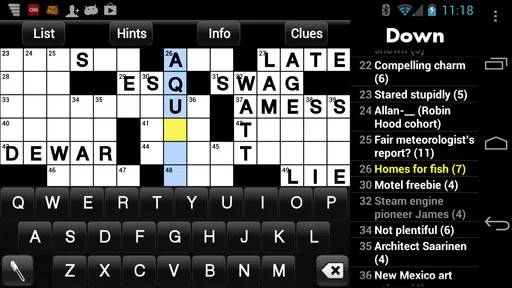
Crosswords is a mobile puzzle game focused on solving crossword grids by entering words that match the provided clues. After opening the app, you can usually choose a puzzle, read the clues, and fill in answers horizontally or vertically. The interface is designed for touch controls, with features such as highlighting the current word, checking letters, and navigating between clues.
Is Crosswords suitable for beginners and experienced players?
Yes, Crosswords can be enjoyed by both beginners and experienced puzzle fans, although the difficulty may vary depending on the selected puzzle. New players can start with easier grids and use hints or checking tools when necessary. More advanced users may prefer challenging puzzles without assistance. Solving regularly also helps users become familiar with common crossword vocabulary and clue styles.
Does Crosswords require an internet connection to play?
The need for an internet connection depends on the specific version of Crosswords and how its puzzle library is delivered. Some puzzles may be available offline after being downloaded, while daily challenges, advertisements, synchronization, or new content may require internet access. It is worth checking the app’s store description and testing downloaded puzzles before relying on the game during travel.
Are there hints, error checking, or other assistance features in Crosswords?
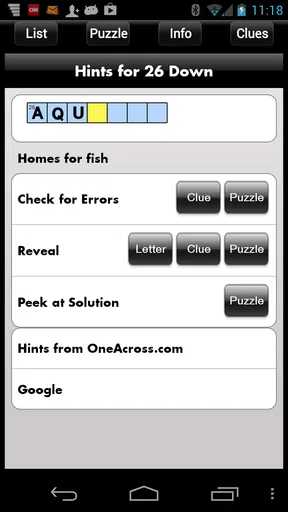
Crosswords generally includes assistance tools intended to make difficult puzzles less frustrating. Depending on the version, you may be able to reveal a letter, a word, or an entire clue answer, as well as check whether an entry is correct. These options can be useful for learning, but they may reduce the challenge, and some versions may limit their use or connect them to advertisements or in-app purchases.
Is Crosswords free to download, and does it contain advertisements or purchases?
Crosswords may be free to download, but availability of advertisements and optional purchases depends on the edition you install. Free access can include ads between puzzles, while paid options may remove advertising, unlock additional puzzle packs, or provide extra hints. Before downloading, review the app’s current store listing, permissions, subscription details, and purchase terms to understand the complete cost.


